News & Updates
Qase Product Updates: August 2026
August's Qase updates: Playwright traces play inside Qase, Autofixer hands broken e2e tests to your agent, a Test Case Review API, and untested results in QQL.

Glen Holmes

A test goes red. Answering "what actually broke" should take a minute. In practice it takes much longer, because the answer sits in a trace file you have to download, carry to a different website, and upload before you can read a thing.
Then you find out nothing broke. The product changed on purpose, the change was correct, and the test was written against the old flow. So now you have an afternoon of hand-editing ahead of you, and none of it is the work you meant to do today.
August went after that whole stretch: the distance between a red result, an understood one, and a fixed test. Here's what shipped.
Pillar 1: The distance between red and fixed
Playwright traces now play inside Qase.
If you run Playwright and report into Qase, your traces are already sitting on the run result. Reading one used to take 4 steps: download the trace.zip from the attachment, open trace.playwright.dev, upload the file there, then analyze. That path also assumes you know what a trace.zip is and that the viewer exists at all. On most teams, some people do and some people don't.
Click "Play Trace" on the result and the trace opens in Qase's own viewer, where you can replay the execution path up to the point it broke. No download, no upload, no third-party site holding your test artifacts.
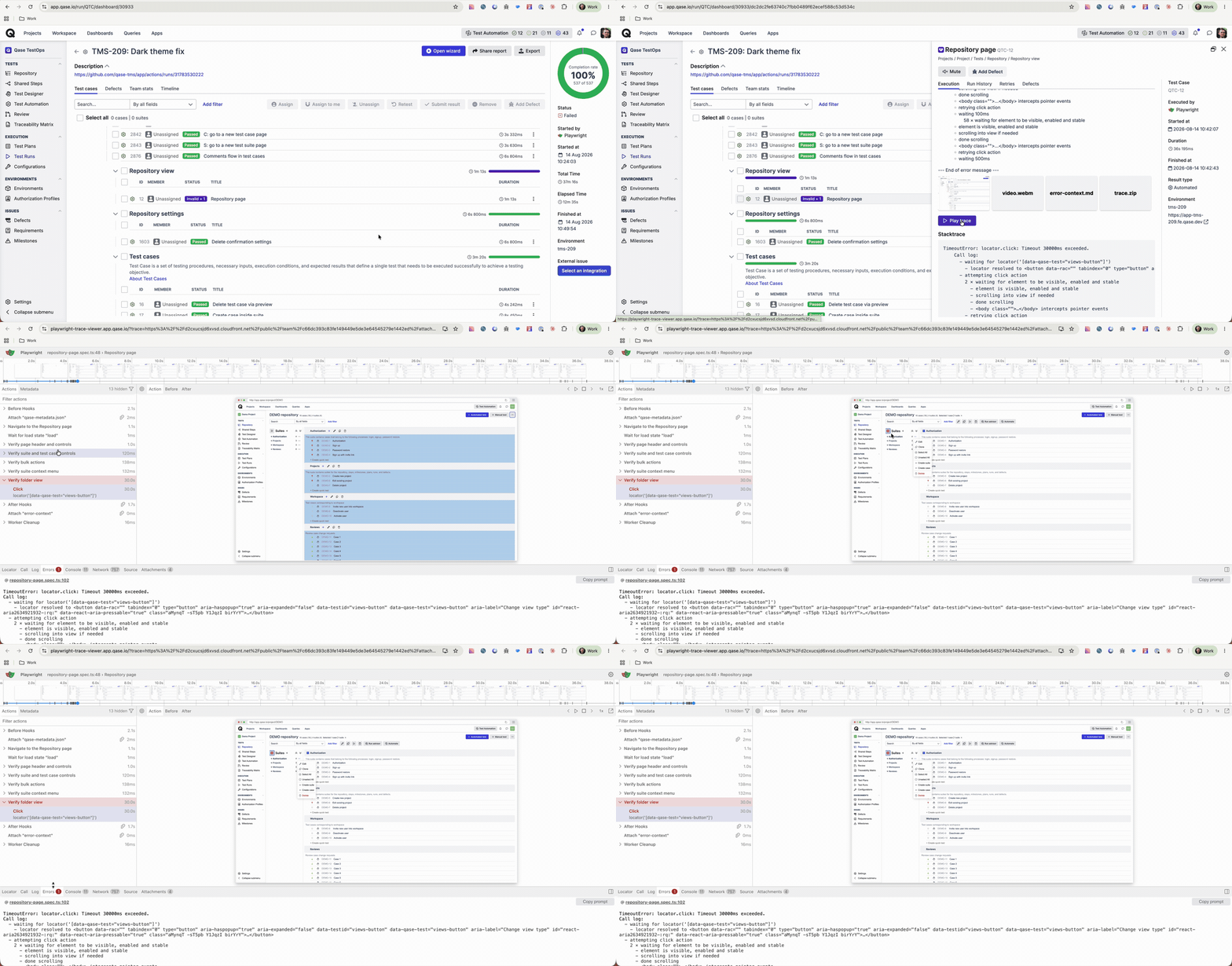
Andrei wrote the full walkthrough, including the 3 ways people were debugging traces before this: Playwright Trace Viewer is now available in Qase.
Qase Autofixer.
Now the other half of the problem. Your end-to-end tests fail because the product moved under them. The suite is describing a flow that stopped existing yesterday. The fix is mechanical, and it still costs you an afternoon.
Autofixer hands that job to the AI client you already have open. Click the button and a prompt copies to your clipboard, carrying the context to make the edit: what the test was doing, what the run saw, where it stopped. Paste it into your agent of choice, and it updates the tests. You read the diff and decide, the same as any other pull request.
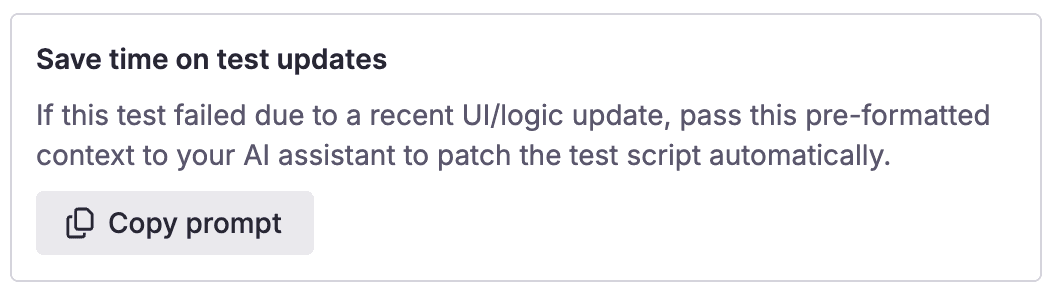
Two things worth being precise about. The context comes from the Playwright reporter and is stored in Qase, so the agent is working from real run data instead of your description of it. And the agent proposes; you merge. Nothing rewrites your test suite on its own.
You'll see the button once you're on playwright-qase-reporter v2.6 or later. Andrei broke down exactly what goes into the prompt here: Autofix your e2e tests with a predefined prompt.
This one came from inside the house. Andrei on our team hit the problem when we changed Qase's own subscription plans, watched our own suite go red for exactly this reason, and built the thing he wanted.
Pillar 2: A QA analyst on top of your Qase data
Quality Supervisor, our first agentic QA plugin.
Our MCP server gave your AI client access to Qase data: runs, results, cases, defects, requirements. Access turned out to be the easy part. Knowing what to ask of that data is the job a QA lead does, and every team was writing those prompts from scratch.
Quality Supervisor is an installable plugin that packages that analysis. It runs in Claude Desktop, Claude Code, Cowork, and any MCP-capable client. Four of the skills it ships with:
- Coverage gap analysis. Finds untested requirements and critical paths, then drafts the cases that are missing.
- Failure triage. Clusters failures and separates real product bugs from automation and environment noise, then creates and links the defects.
- Flakiness and stability. Quantifies how unstable a test really is from its result history, and recommends quarantine or fix.
- Release readiness. A 5-dimension go/no-go read on a milestone or release.
Here's what it doesn't do, because that matters more than the feature list. It doesn't read your codebase, so coverage gaps come from the signals in your Qase data rather than a direct comparison against your source. It can't call a deletion tool. That guard is in the plugin's code, so it holds no matter what the prompt says. Bulk writes wait for your approval. And every finding shows the QQL query behind it, so you can run the query yourself and disagree with the answer.
Qase stays the system of record. The plugin reads it and reasons about it; it doesn't become a second place your test data lives.
Pillar 3: Review, available over the API
Test Case Review API.
Test case review has been a UI job. That's fine for a handful of cases and it falls apart the moment you generate 200 with Test Designer or import a backlog from a spreadsheet, because somebody has to click through each one to get it into review.
Review now has a full API. You can list and filter reviews, fetch a single review with its details, create a review for a new or existing case, update an open one, and delete one. The endpoint that changes the shape of the work is bulk creation: up to 100 reviews in a single call. Generate or import at scale, push the whole batch into review programmatically, and let your reviewers spend their time reviewing.
One limit to state plainly: approving and merging still happen in the UI. If you're looking for fully automated approval, that isn't there, and it's a deliberate line for now. We're adding review support to the MCP server next, so an agent can open reviews the same way.
Pillar 4: Analytics and reporting
Untested results in QQL.
QQL used to answer questions about results that had executed. It could tell you what passed and what failed, and it said nothing about the cases still waiting to be run. Before a release, the size of that quiet part is often the number you actually want.
QQL can now return untested results. Existing behavior is preserved: untested results stay hidden by default, so your saved queries and dashboards read exactly as they did last week. Apply any status filter and the guard lifts, so status = "Untested" returns what you'd expect, and so does a broader filter like status != empty.
Weekly summaries for automated runs. If you report automated results into Qase, you can get a weekly summary of them by email. It's a workspace toggle with an unsubscribe, AI-written where AI features are on and a plain rollup otherwise. It's an experiment, so tell us whether it reads as useful or as one more email.
Natural Language Queries on Dedicated clusters. Worth a reminder if you haven't tried it: ask for what you want in plain English and Qase writes the QQL for you, so you get an answer without learning the query language first. It's now available on Dedicated clusters as well as Cloud. It uses AI credits, and the query it writes is right there for you to read, edit, and save.
August was a month of shortening the loop you were already in. The trace player closes the gap between a failure and an explanation. Autofixer closes the gap between an explanation and a green suite. Quality Supervisor puts a QA lead's questions on top of both. You still make every call that matters. There's just less file shuffling before you get to make them.
Happy testing!